One shortcut for the things you do all day.
Search, act, browse, expand, automate. Each part is small on its own, and they share the same keys.
Finds what you mean, and remembers it.
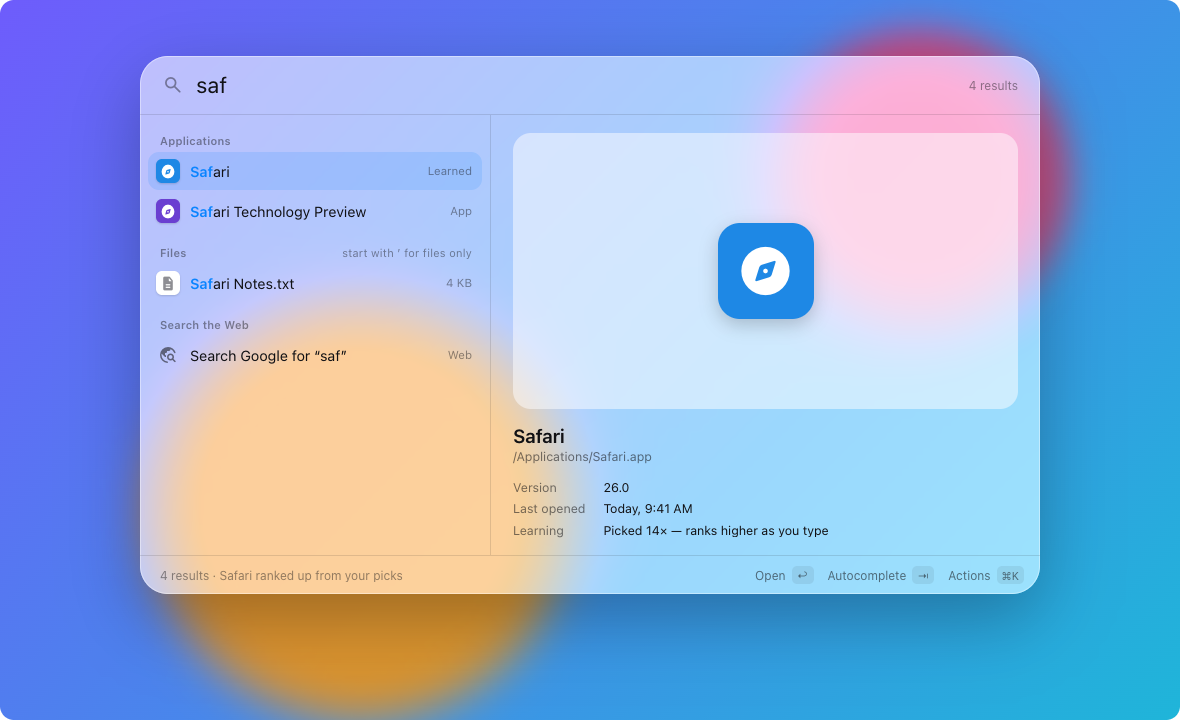
Apps, System Settings panes and commands are matched as you type: by prefix, word starts (“vsc” finds Visual Studio Code), CamelCase or fuzzy. Each pick is recorded against what you typed, so your choices rise to the top, and older picks fade over about a month.
- Files come from the Spotlight index already on your Mac, so nothing crawls your disk.
- Start with
'for files only,findto reveal in Finder,into search inside files. - Results are grouped by kind, and a detail pane shows what’s selected.
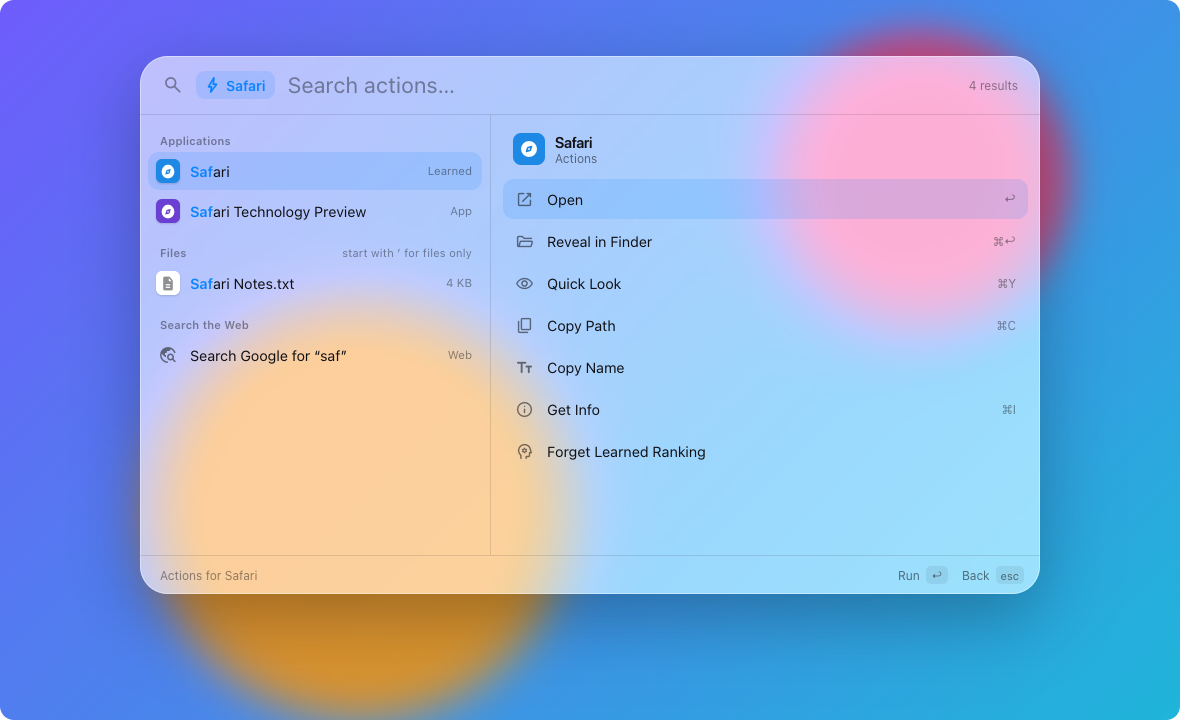
Do more than open.
Press ⌘K or → on any result: Open With, Reveal in Finder, Quick Look, Copy Path, Get Info, Move to Trash. Type to filter the list. ⌘C copies the selected result’s path or value straight away.
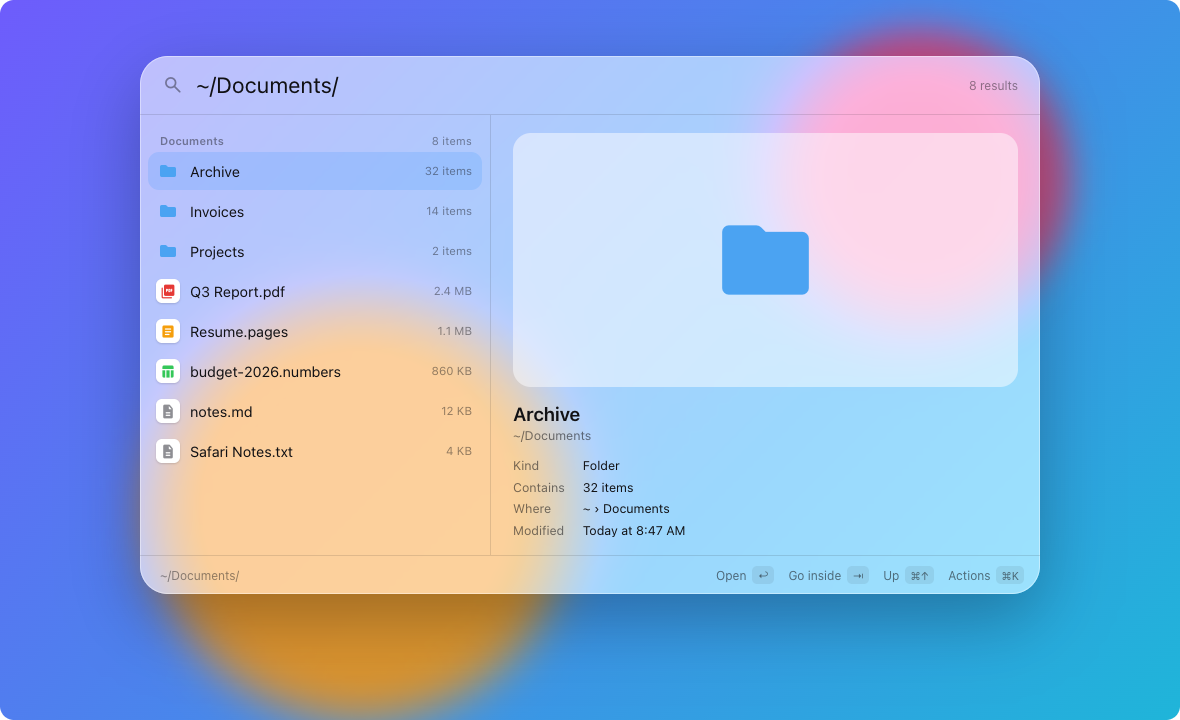
Walk your folders from the keyboard.
Type / or ~ to list a folder, then keep typing to filter it. Tab or ⌘↓ steps into a folder, Delete after a slash or ⌘↑ goes up a level, and the preview shows a Quick Look thumbnail, kind, size and dates.
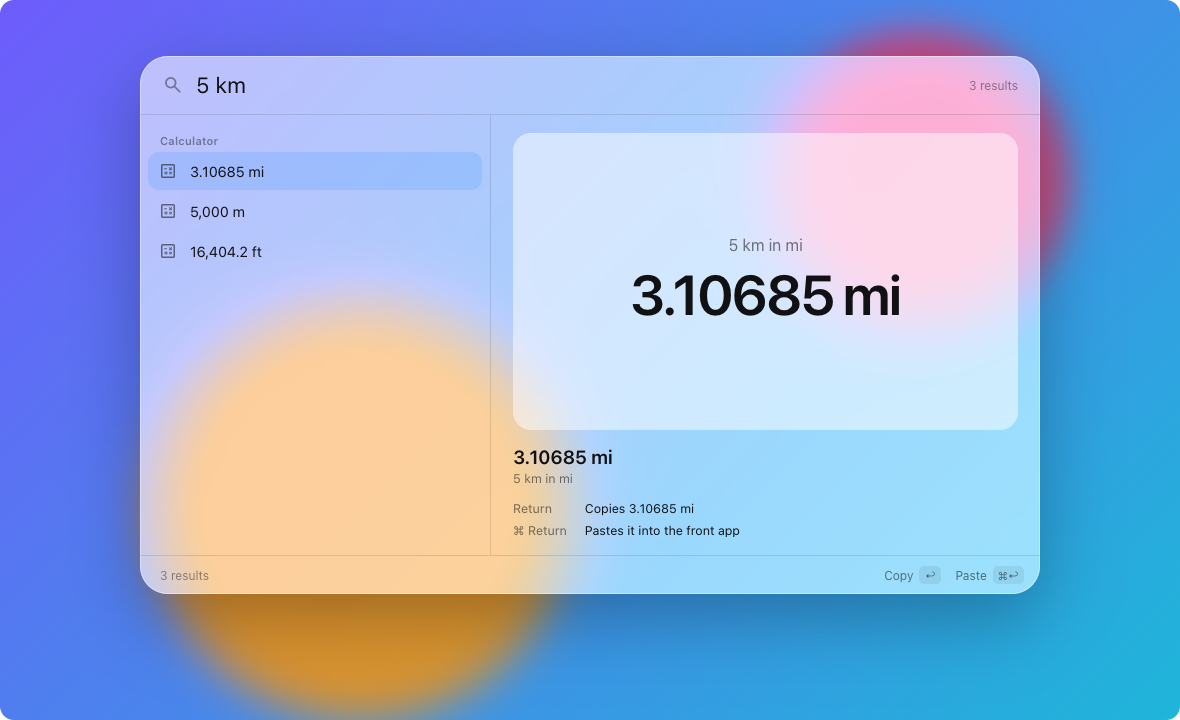
Answers without opening anything.
Type 2^10, sqrt(2) or 15%*80 and Return copies the answer. Custom web searches work by keyword (g swift), and fallback searches appear when nothing on your Mac matches.
Type a keyword. Get the whole thing.
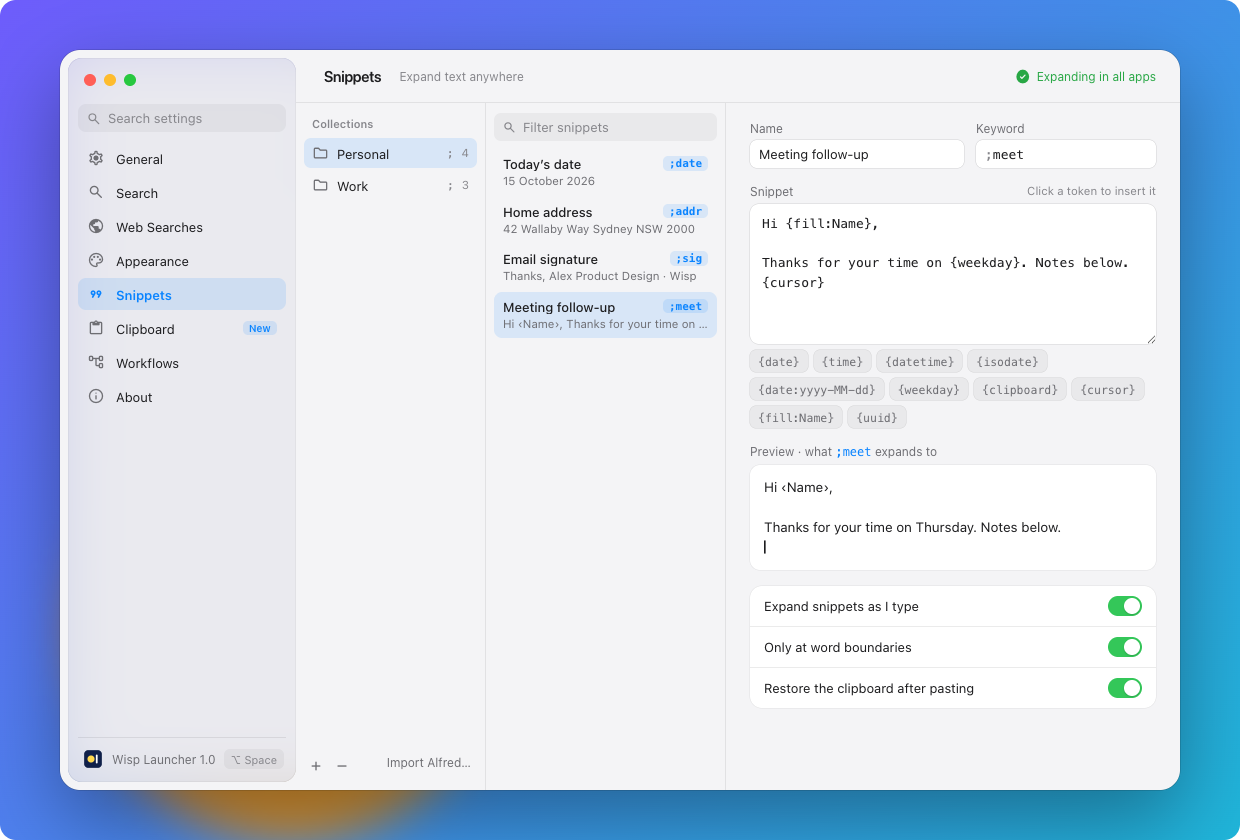
Snippets expand in place in any app: your address, a signature, today’s date. Collections can have their own prefix and excluded apps. Password managers and secure fields are always skipped.
Imports Alfred .alfredsnippets files. Needs the Accessibility permission; search doesn’t.
Everything you copied, one word away.
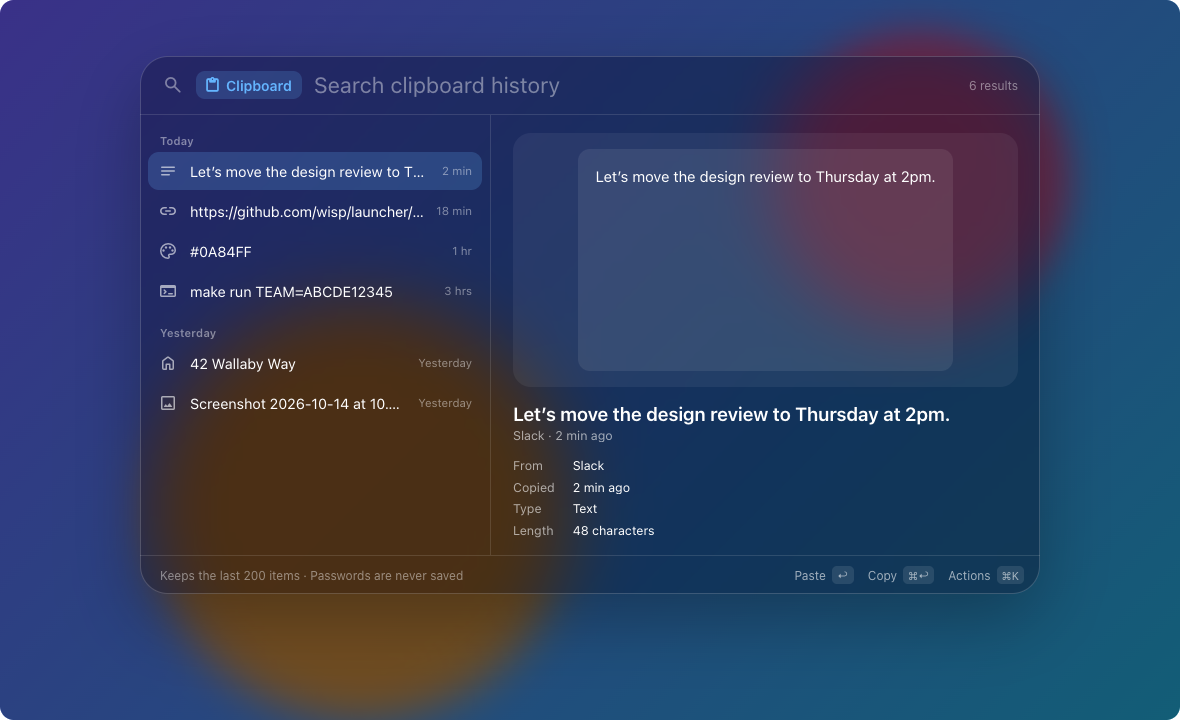
Type clip to search recent text, links, colours and images, then paste or pin them. Passwords and concealed content are never recorded, and you choose which apps are ignored.
Wire up your own commands.
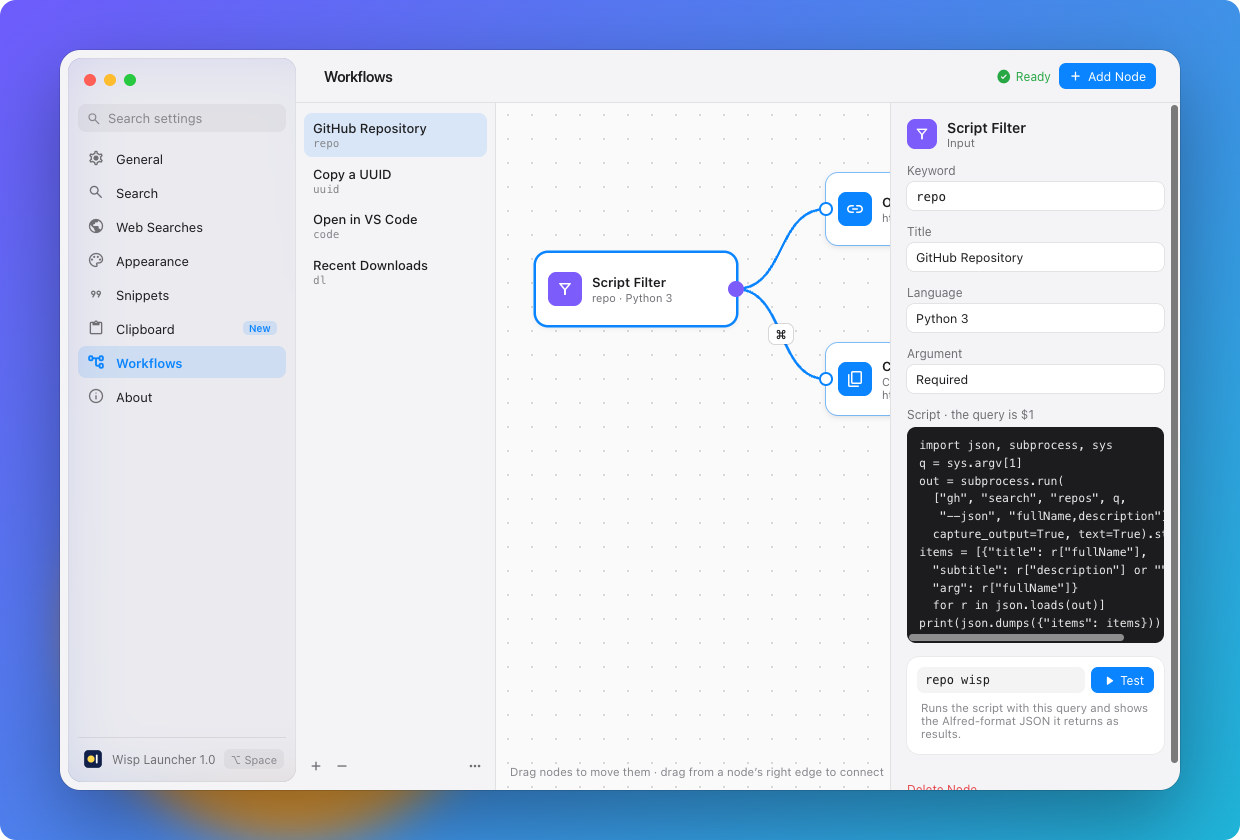
Connect inputs (Keyword, Hotkey, Script Filter, List Filter) to actions (Open URL, Run Script, Copy or Paste, Notification, Large Type) on a canvas. A connection can require a modifier key, so ⌘↩ takes a different branch.
- Scripts in zsh, bash, Python 3, AppleScript, JavaScript (JXA), Ruby or Perl.
- Script filters use Alfred’s JSON format, so many existing ones work unchanged.
- Test any input in the inspector and see each step’s output.
Describe it, and let an agent build it.
Wisp includes a small MCP server, so Claude Code, Claude Desktop, Cursor or any MCP client can write, test and install workflows and snippets for you.
- Anything an agent adds arrives switched off, with a Review tag, until you approve it.
- Changing an approved workflow sends it back for review.
- Agents can only change what they created.
Make it look like yours.
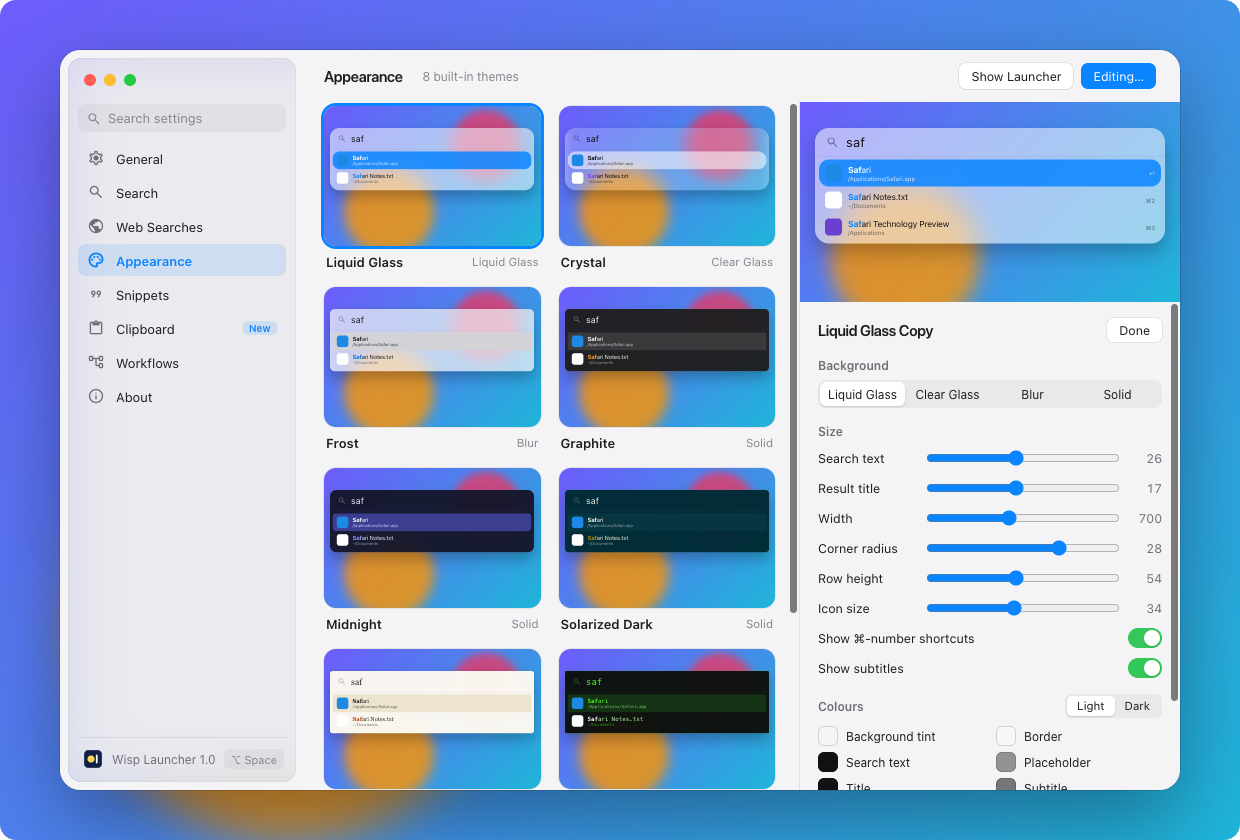
Eight built in: Liquid Glass, Crystal, Frost, Graphite, Midnight, Solarized Dark, Paper and Terminal. Duplicate any of them to change colours (separately for light and dark), fonts, sizes, corner radius and width, with a live preview.
New versions arrive on their own.
Wisp checks once a day and waits quietly in the menu bar until you’re ready. Choose Update Available to see what’s new and install it, or let Wisp download and install updates in the background.
Every update is notarised by Apple and signed, and Wisp won’t install one that doesn’t match its own key. Your settings, snippets and workflows carry over.