Free beta · macOS 26 Tahoe

Start typing.
Wisp does the rest.

A native launcher for your Mac. It finds apps and files, learns what you pick, expands snippets in any app and runs the workflows you wire up. Press ⌥Space to open it.

Free during the beta · No account
01Search that learns

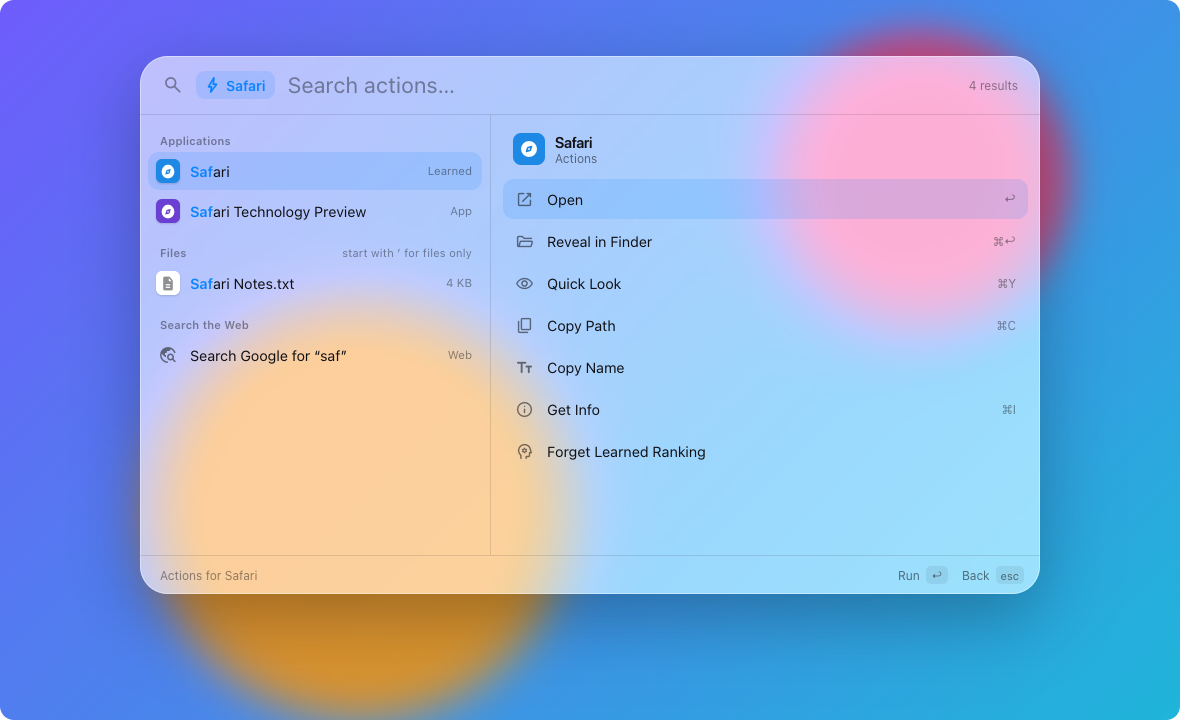
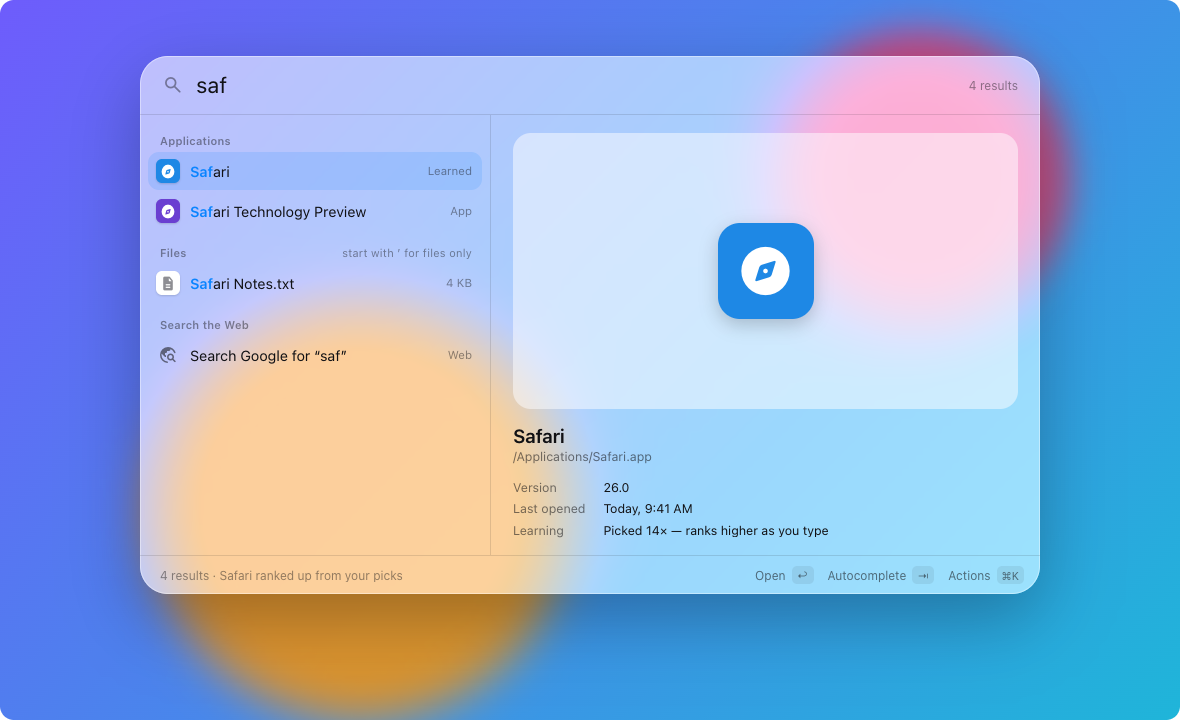
Apps, settings, files and commands as you type. Pick Safari for “s” a few times and “s” means Safari.

02Act without leaving

⌘K lists every action for what’s selected: reveal, Quick Look, copy the path, open with, trash.

03Walk your folders

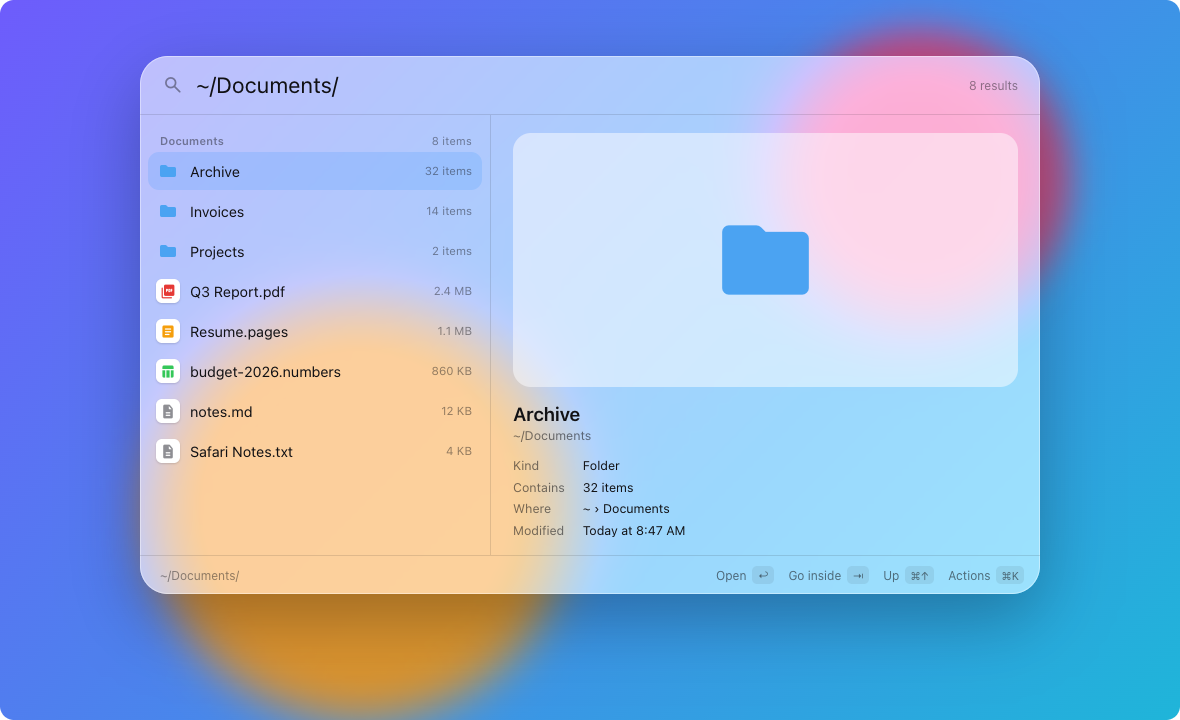
Type / or ~ to browse. Tab steps in, ⌘↑ steps out, and a preview shows what you’ve landed on.

04Snippets in any app

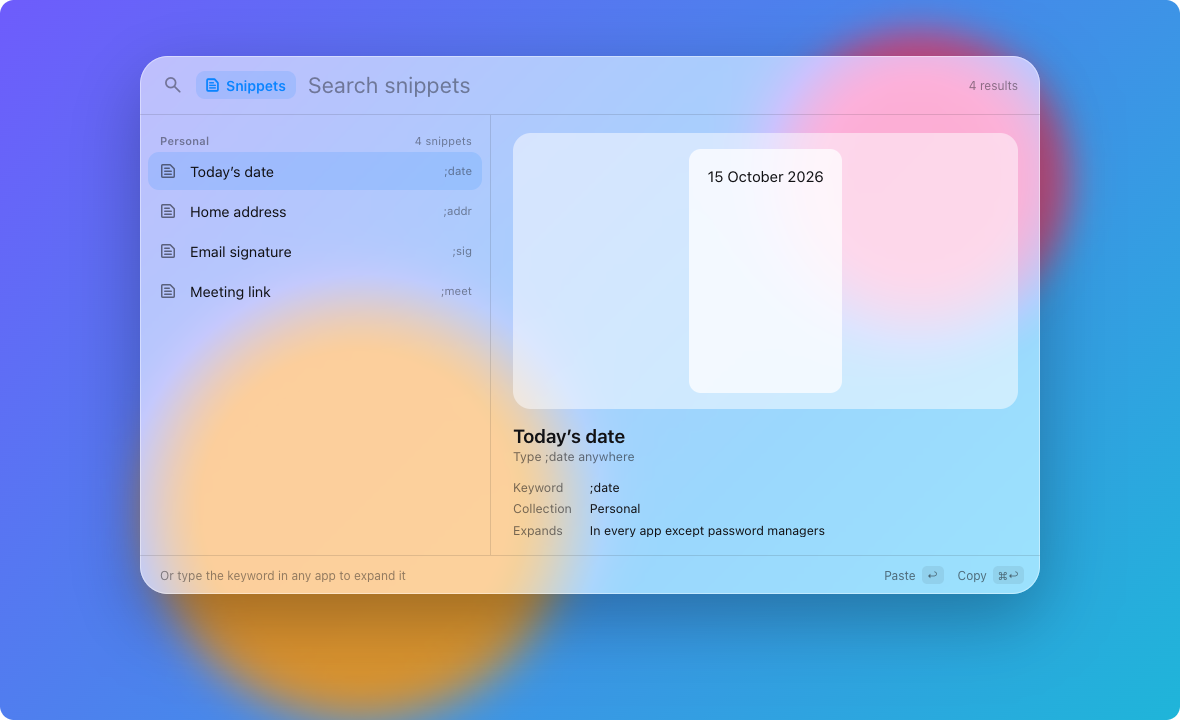
Type ;addr in Mail, Slack or Terminal and it expands in place. Dates, clipboard and fill-in fields too.

05Workflows you wire

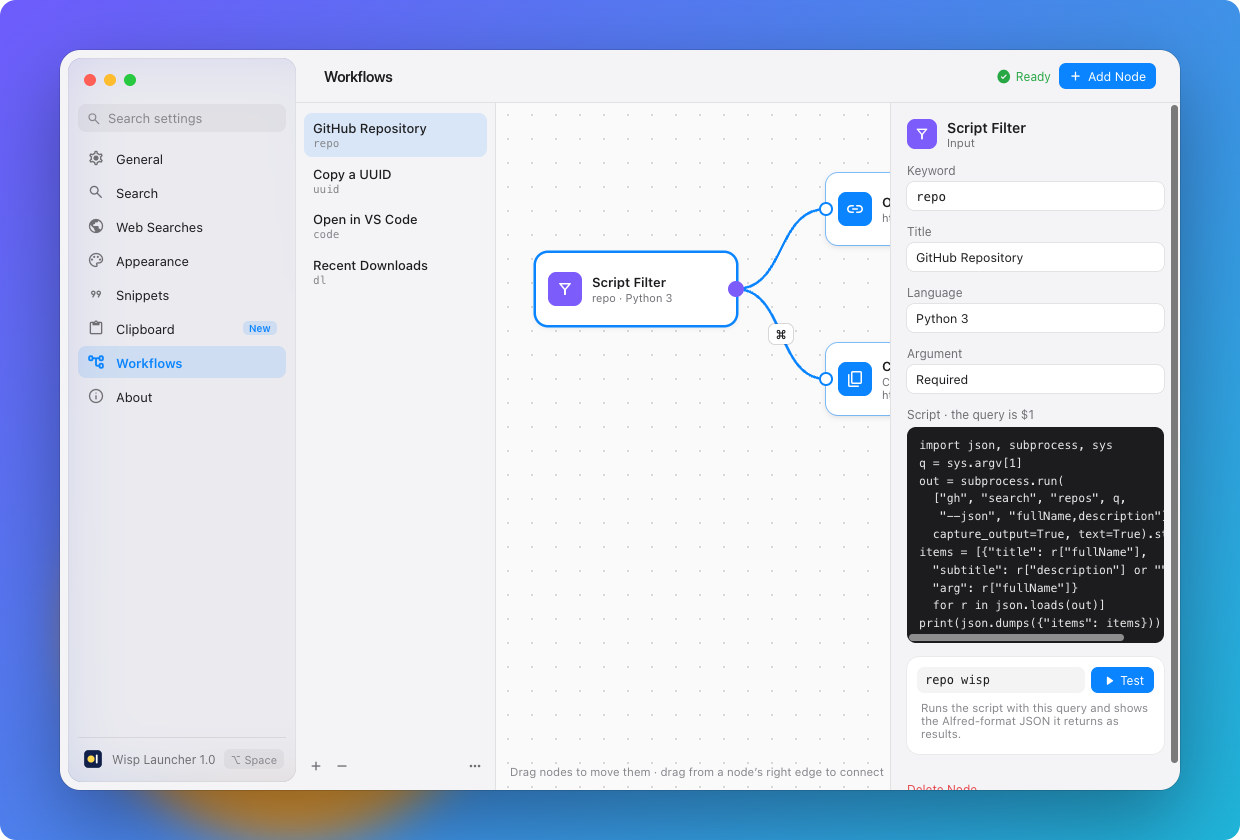
Connect keywords, scripts and actions on a canvas. Alfred script filters work unchanged.

Wisp Launcher Free beta · macOS 26 Tahoe

Start typing.
Wisp does the rest.

A native launcher for your Mac. It finds apps and files, learns what you pick, expands snippets in any app and runs the workflows you wire up. Press ⌥Space to open it.

Download the beta
01Search that learns

Apps, settings, files and commands as you type. Pick Safari for “s” a few times and “s” means Safari.

Search that learns
02Act without leaving

⌘K lists every action for what’s selected: reveal, Quick Look, copy the path, open with, trash.

Act without leaving
03Walk your folders

Type / or ~ to browse. Tab steps in, ⌘↑ steps out, and a preview shows what you’ve landed on.

Walk your folders
04Snippets in any app

Type ;addr in Mail, Slack or Terminal and it expands in place. Dates, clipboard and fill-in fields too.

Snippets in any app
05Workflows you wire

Connect keywords, scripts and actions on a canvas. Alfred script filters work unchanged.
Workflows you wire

Small, fast, and at home on your Mac.

Native Swift, AppKit, SwiftUI.

No Electron and no dependencies. Wisp lives in the menu bar and opens the moment you press the shortcut.

Learns Ranks by what you choose.

Every pick is remembered against what you typed, and older picks fade over about a month. Forget any result with ⌘K.

Alfred-friendly Bring what you’ve built.

Script filters use Alfred’s JSON format, so many work unchanged, and .alfredsnippets files import directly.

Up to date Updates itself, safely.

Wisp checks once a day and installs new versions when you’re ready, or on its own if you prefer. Every update is notarised and signed.

Eight keys cover almost everything.

The footer always shows the keys for what you’re doing, so you learn them as you go.

⌥ Space
Open Wisp
↩
Open or run
⌘ ↩
Reveal in Finder
⇥
Autocomplete
⌘ K
Actions
⌘ 1–9
Open that row
⌘ Y
Quick Look
esc
Close

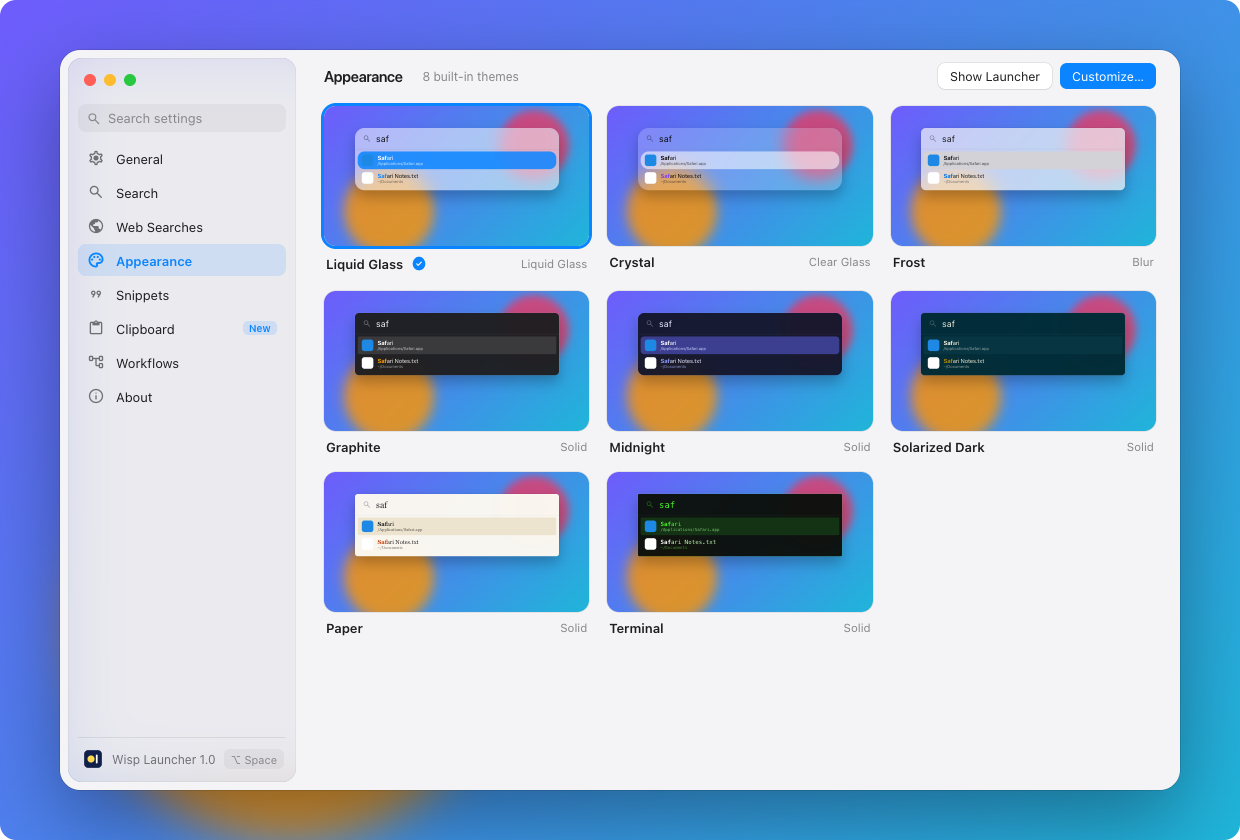
Eight themes. Or make your own.

All features
Wisp Launcher Appearance settings with eight theme previews

Private by design.

Wisp has no account, no analytics and no tracking. Your settings, snippets, workflows and learned rankings are plain files in your Library folder. File search uses the Spotlight index that’s already on your Mac.

Read the privacy policy

Free while it’s in beta.

Download it, press ⌥Space and start typing. Pricing will be announced before the beta ends.

Requires macOS 26 Tahoe or later